15 Seconds ADB installer
15 Seconds ADB Installer is a mobile utility tool. Previously, setting up ADB and Fastboot was quite difficult, and installing ADB USB drivers used to be time-consuming. This software allows for installation on a computer with just a single click.
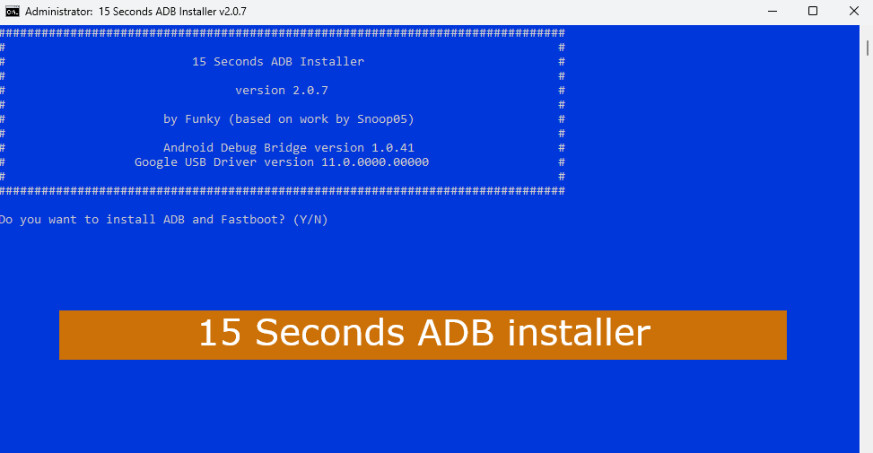
15 Seconds ADB installer
Size: 13 MB
Version: v2.0
Compatible: Windows 7,8,10,11
What is the 15 Seconds ADB Installer?
Let’s find out more about it. We all know that mobile phones often encounter various issues. This tool is highly effective for mobile software repairs. As the name suggests, it can install ADB in just 15 seconds—which is indeed true. The software has a maximum size of 15 MB, making it quick to download, and it takes less than 15 seconds to install.
What is the function of ADB?
Its full name is Android Debug Bridge; it establishes a connection between an Android device and a computer using commands. Mobile technicians primarily use it for tasks such as:
- Debugging
- Log Monitoring
- Development Environment
- Developer Commands
- Device Information
Minimum System Requirements
Details regarding the minimum system requirements for installing the “15 Seconds ADB Installer” software on Windows are provided below:
| Operating System | Windows 10. 11 |
| Processor | Intel / AMD |
| RAM | 4GB |
| Storage | 100MB |
| Internet | For download and updates |

Post Comment