KUnlock Plus Tool v2.0.5
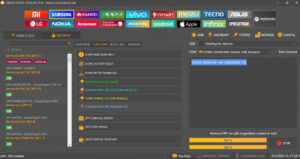
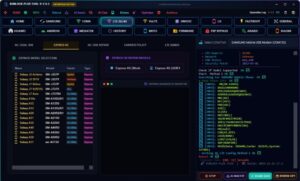
KUnlock Plus v2.0.5 is neither official nor trusted software. it is considered a version of third-party mobile unlocking tools. Users utilize it in various ways. It is regarded as a highly helpful tool for Android phones, as it significantly assists in reactivating several stalled or unresponsive functions of the device.
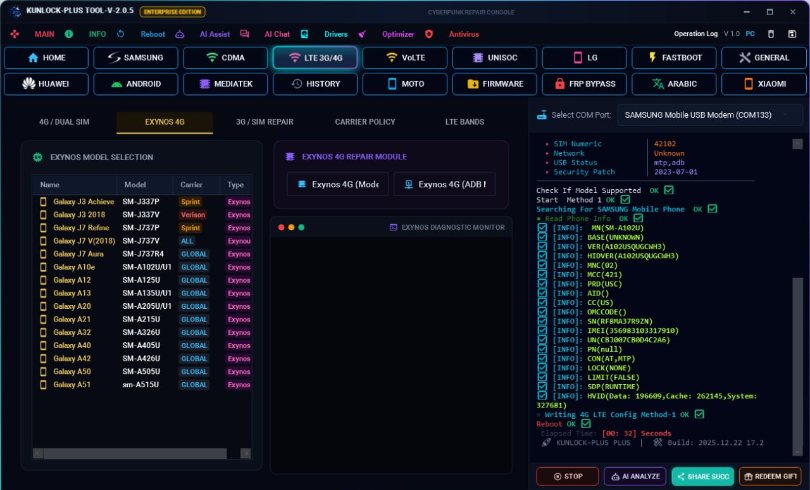
KUnlock Plus Tool
Version: v2.0.5
Size: 301MB
Compatible: Windows
What is the KUnlock Plus Tool ?
KUnlock Plus is a third-party utility tool designed specifically to resolve lock-related issues on Android devices. As you are aware, smartphones have become an indispensable part of our lives today. With nearly everyone now owning a smartphone, users inevitably encounter various phone-related difficulties at some point such as FRP locks, screen locks, or software glitches. This tool can effectively resolve all of these issues.
If you wish to use this tool, we have provided a link within this post that allows you to download it with just a single click. However, you must exercise caution while using it; as you know, this is a third-party software tool, and its improper use could potentially result in harm to your device.
Main Features of KUnlock Plus v2.0.5
KUnlock Plus v2.0.5 offers a set of truly excellent and useful features. These features have been designed with specific care to ensure that common Android phone issues can be resolved with ease-
FRP Lock Bypass
- Helps remove Google account verification (FRP)
- Grants access to phones stuck at the lock screen after a factory reset
Screen Lock Removal
- Facility to unlock Patterns, PINs, and Passwords
- In many cases, data access is obtained without data loss (though a risk of data loss remains).
ADB & Fastboot Functions
- Option to run ADB commands
- Support for advanced operations in Fastboot mode
Device Repair Tools
- Bootloop (Stuck on Logo) Fix
- Resolution of Hanging and Lagging Issues
- Basic Software Repair Options
Important Tips
There are certain essential points regarding the KUnlock Plus v2.0.5 tools that you absolutely must know, in order to avoid facing any future issues:
- Always try the official method first.
- Google Account Recovery is the safest option.
- If you are unsure, visit a service center.
- Do not blindly use unknown tools.

Post Comment