Galaxy Multi Tool v3.3.7
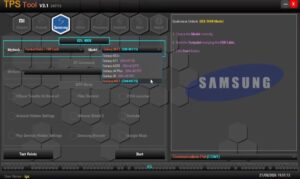
If you are a Samsung user, the Galaxy Multi Tool could be very useful for you. This tool allows you to perform tasks such as FRP bypass, bootloader unlocking, firmware flashing, and mobile formatting on Samsung devices. Galaxy Multi Tool v3.3.7 is the latest version recently launched; it includes significant, powerful updates compared to previous versions.
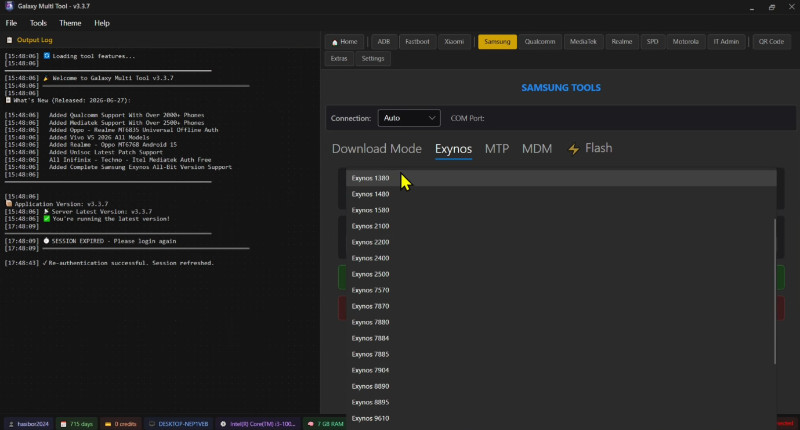
Galaxy Multi Tool
Size: 97 MB
Version: v3.3.7
Compatible: Windows
Information About Galaxy Multi Tool
There are many tools available online to resolve mobile software issues, which can make choosing the right one confusing. However, for Samsung users, the Galaxy Multi Tool is an excellent option, as it is specifically designed for Samsung Galaxy phones and can resolve software problems in minutes. It is widely used and receives frequent updates, ensuring compatibility even with the latest mobile models.
This means it supports even the newest Samsung models you might own. You can install the Galaxy Multi Tool v3.3.7 setup on a Windows PC or laptop. It is lightweight software that offers a free trial period.
Key Features of Galaxy Tool
Here are some of the best features that make this tool highly popular:
- One-click operations
- Combination of ADB and Fastboot
- Lock removal
- FRP bypass
- It also fixes various other issues.
Benefits of Galaxy Multi Tool
ThisTool is a lightweight software application that runs very quickly on any computer or laptop. It saves time by allowing commands to be executed with just a single click. Its user-friendly design makes it easy for even new technicians to understand. Being a free tool, it is widely used by both small and large mobile repair shops. Most importantly, it supports not only Samsung devices but also a wide range of other Android devices.
Minimum Requirements
| Operating System | Windows 7, 8, 10, or 11 (32-bit & 64-bit) |
| RAM | Minimum 2 GB |
| Hard Disk Space | 200MB |
| Internet Connection | Only for driver downloads |
Conclusion
Galaxy Multi Tool is, in my opinion, the best tool I have used so far. This is due to its simple interface and fast processing speed; it works seamlessly with Samsung devices. I have written this article based on my own extensive experience using this tool. If you own a Samsung mobile and are facing any kind of software issue, do not hesitate to use this tool.


Post Comment