FCK Tool 2.8
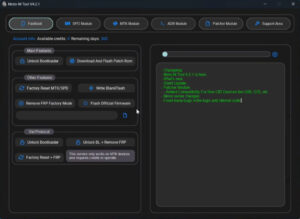
FCK Tool 2.8 is a mobile software repair tool. With its assistance, users can perform tasks such as FRP resets, bootloader-related operations, device information retrieval, flashing, factory resets, and pattern unlocking. This software is quite lightweight and operates very smoothly.
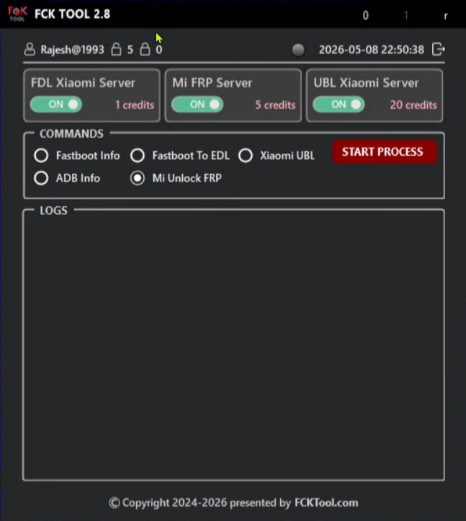
FCK Tool (Mobile Repair Tool)
Version: v2.8
Size: 11 MB
Compatible: Windows
About FCK Tool
Modern Android devices feature a vast array of functions; consequently, they are also prone to frequent software-related issues. To resolve these various software problems, numerous tools such as FCK Tool 2.8 are available on the internet. FCK Tool 2.8 is Windows-based software that can be installed on any laptop or PC. Thanks to its very simple interface, users can easily utilize it to fix issues with their devices.
What it can do:
- Android Device Unlocking
- FRP Reset (Bypass)
- Mobile Flashing Options
- Bootloader-Related Functions
- Device Information Reading
- Factory Reset
- Fast Processing Interface
- Multi-Brand Support
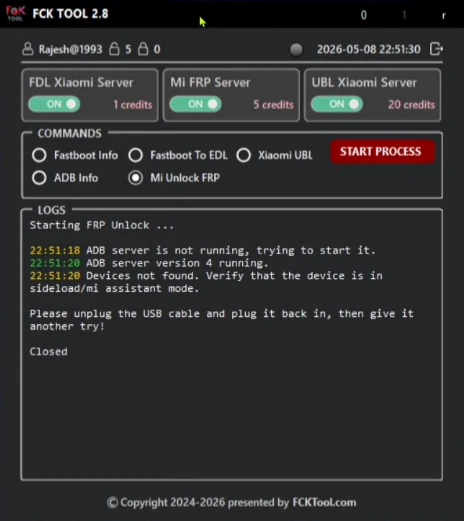
Key Features of FCK Tool 2.8
Let’s now discuss the features that make this tool so highly regarded by users. The capabilities included here are typically found only in premium-grade tools. Moreover, in addition to being extremely lightweight and fast, it is also very affordable:
- FRP Bypass (Supports all devices)
- Pattern Unlock
- Bootloader Functions
- Device Information
- Simple Interface
FCK Tool 2.8 vs. TFT Unlock Tool
Here, we have compared these two tools and outlined their respective features. This will help you determine which option is the best fit for your specific needs:
| Feature | FCK Tool | TFT Unlock Tool |
|---|---|---|
| Interface | Simple and lightweight interface | Feature-rich interface |
| Usage | Basic and advanced mobile repair tasks | Professional mobile servicing tasks |
| FRP Functions | Available | Available |
| Device Support | Supports many Android devices | Multi-brand support |
| Bootloader Options | Available | Multiple advanced options |
| Learning Curve | Easy for beginners | Some features may take time to learn |
| Speed | Fast operation | Fast processing for many tasks |
| Technician Popularity | Rapidly growing popularity | Popular for a long time |
| Flashing Features | Basic to advanced functions | Multiple professional features |
| Resource Usage | Considered lightweight | May use more system resources |
FCK Tool Supported Devices
Broadly speaking, the FCK Tool supports mobile devices from virtually every Android manufacturer. Nevertheless, we have listed the names of some of the top mobile brands here for your reference:
- Samsung Devices
- Xiaomi Phones
- Realme Smartphones
- Vivo Phones
- Oppo Devices
- Motorola Smartphones
- Huawei Devices
- Qualcomm Based Phones
- MediaTek Devices
Conclusion
After thoroughly examining this tool, it is evident that it operates as a premium utility. While some of its features may be available for free, a premium subscription is required to unlock and utilize its full capabilities. The pricing is very affordable, and the tool is intuitive to understand making it an excellent choice, particularly for new users. However, if you are specifically looking for a completely free tool, the TFT Tool remains the best option.


Post Comment