Deep Smart Tool v0.4.1
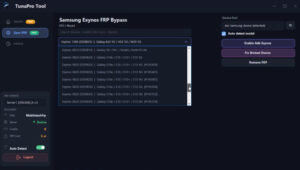
With the help of Deep Smart Tool v0.4.1, users can fix software-related issues present in phones across various Android brands. This tool is capable of scanning for and identifying software errors within mobile devices. It boasts a wide array of features that are rarely found in other similar tools.
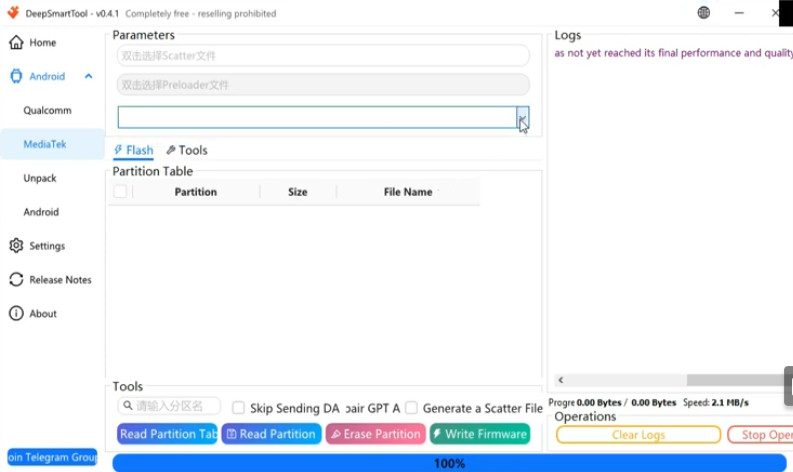
Deep Smart Tool
Version: v0.4.1
Size: 9MB
Compatible: Windows
About Deep Smart Tool
The Deep Smart Tool setup can be installed on Windows PCs and laptops. The primary function of this software tool is to resolve a multitude of issues, such as FRP bypass, pattern/password resets, factory resets, and device flashing. If your phone is experiencing any type of software-related problem, this tool can provide the assistance you need.
Why users prefer Deep Smart Tool v0.4.1:
- Multi-Brand Support
- Advanced Android Service Functions
- Fast Device Detection
- User-Friendly Interface
- Regular Updates
- Support for Modern Android Devices
- System Repair Features
- Bootloader and Fastboot Support
- Support for Qualcomm and MediaTek-based Devices
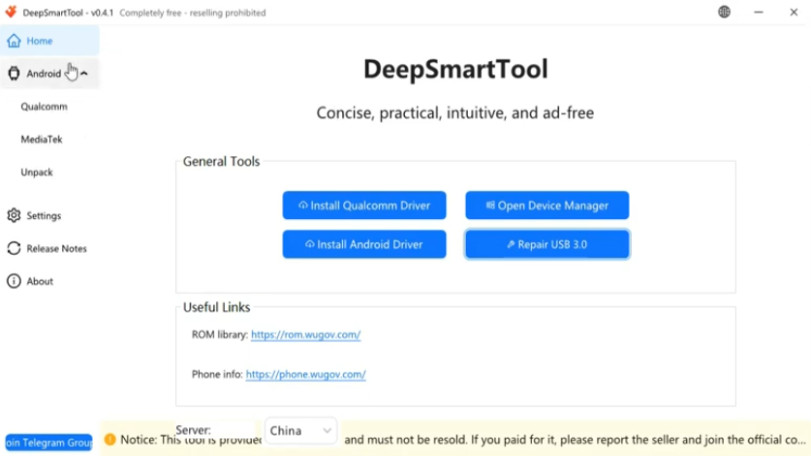
Essentially, this tool serves as an all-in-one solution, encompassing every necessary feature within a single package.
What Can Deep Smart Tool Do?
Details regarding the various Android mobile issues that can be resolved with the help of Deep Smart Tool v0.4.1 are provided below:
- Factory Reset
- FRP Bypass
- Firmware-Related Tasks
- Mobile Unlocking
- Bootloop Issue Check
- System Error Detection
- Mobile Servicing
- Device Information Reading
- Fastboot Mode
- Qualcomm and MTK Device Handling
One of the best features of this tool is that you do not need to download USB drivers separately. The tool includes a dedicated section from which you can download the exact, correct USB drivers.
System Requirements
Let’s take a look at the minimum requirements for installing Deep Smart Tool v0.4.1 on your PC or laptop.
| Requirement | Details |
|---|---|
| Operating System | Windows 10 / Windows 11 |
| RAM | 4GB RAM |
| Processor | Intel / AMD Processor |
| Internet | Stable Internet Connection |
| Drivers | USB Drivers Installed |
| Connectivity | USB Cable |
| Permission | Administrator Permission |
Final Word
This tool is the latest of its kind and is currently available for free. Therefore, you can use it right now at absolutely no cost. I have not personally used the Deep Smart Tool; however, based on the information gathered from the internet, it appears that the tool is functional. Furthermore, it is receiving updates, which suggests that it will perform even more effectively in the future.


Post Comment