Fastboot Elite Tool v1.6
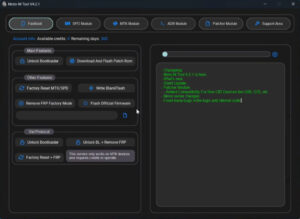
Fastboot Elite Tool v1.6 is an unofficial Windows-based software used for repairing, unlocking, and flashing Android phones. It operates within a system-level mode that allows you to interact directly with the phone’s bootloader—regardless of whether your Android device has successfully booted up or not. It is currently widely utilized by many users, as it serves as an exceptionally useful utility tool. It has been designed specifically with technicians and mobile repair professionals in mind, and it is also remarkably easy to use.
Fastboot Elite Tool
Version: v1.6
Size: 25MB
Password: 123
Compatible: Windows
What is the Fastboot Elite Tool v1.6?
Fastboot Elite Tool is an exceptional software utility designed for Android devices, facilitating their repair, unlocking, and flashing via Fastboot mode. Android phones often encounter various issues—such as FRP locks, system freezes, or software crashes—that require specialized tools to resolve; the Fastboot Elite Tool serves as an excellent solution for precisely these scenarios. It enables users to effortlessly resolve a wide range of complex problems associated with Android devices.
In today’s world, the usage of Android smartphones is expanding at a rapid pace. However, phones occasionally develop issues that can be quite challenging to resolve. With the help of this tool, such problems can be resolved with great ease. The tool is remarkably simple to use, ensuring that users encounter absolutely no difficulties while operating it.
Key Features of Fastboot Elite Tool v1.6
You will find a host of excellent features in the Fastboot Elite Tool v1.6. By utilizing these features, you will be able to make effective and complete use of this tool:-
FRP Lock Remove (Google Account bypass)
The Fastboot Elite Tool grants you full permission to remove FRP locks. You can resolve this issue with great ease using this tool.
- Google account (FRP) lock ko bypass karta hai
- Reset ke baad login problem solve hoti hai
Bootloader Unlock / Lock
- Bootloader unlock / relock kar sakte ho
- Custom ROM ya flashing ke liye useful
Device Info Scan (RAM, Storage, IMEI)
The Fastboot Elite Tool allows you to check a phone’s IMEI, RAM, storage, and model information, enabling you to identify all the default specifications of your specific model.
ADB + Fastboot Commands support
- Direct ADB commands run kar sakte ho
- Fastboot mode me device control
Bootloop & software issues fix
This tool fixes phones that are stuck—a condition known as a “bootloop.” It also offers various other features that enable you to resolve all system-related issues with great ease.
How to use the Fastboot Elite Tool v1.6?
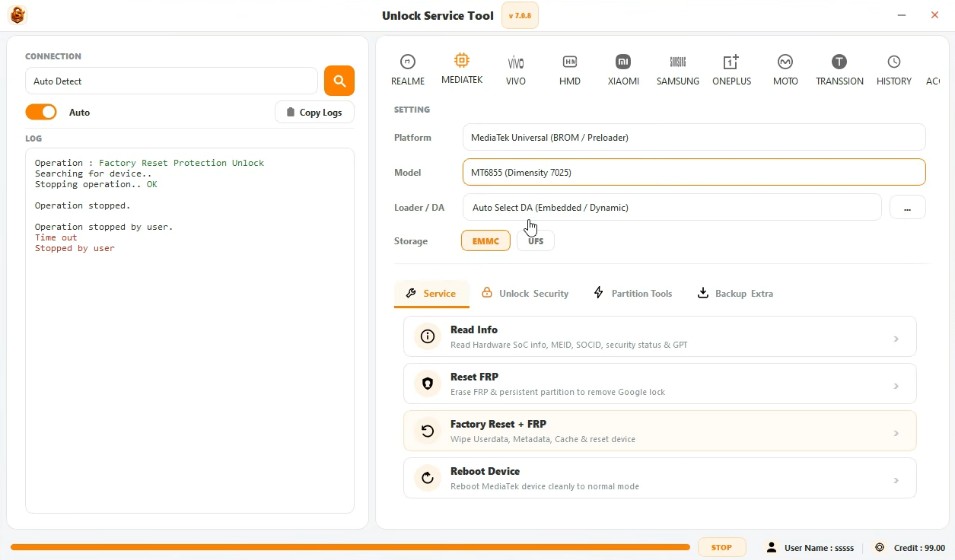
Before using the Fastboot Elite Tool v1.6, it is absolutely essential that you possess comprehensive knowledge about it to ensure you can utilize it to its full potential. We have provided detailed, step-by-step instructions on how to use the tool below, from which you can obtain all the necessary information:
- Download and extract the tool.
- Run it on your PC in Administrator mode.
- Enable USB Debugging on your phone.
- Connect the device using a USB cable.
- Select the required option in the tool (FRP, Reset, Unlock).
- Wait for the process to complete.


Post Comment