MKS Laser Tool v1 0.6
This tool is highly beneficial for those who use laser engraving or cutting machines. The biggest problem people face is the correct setup and firmware management of the machine. Keeping this problem in mind, Makerbase (MKS) developed MKS Laser Tool v1.0.6. This is a lightweight, simple interface, and user-friendly software designed to work with laser controller boards. Downloading the setup is very easy; the link is provided below.
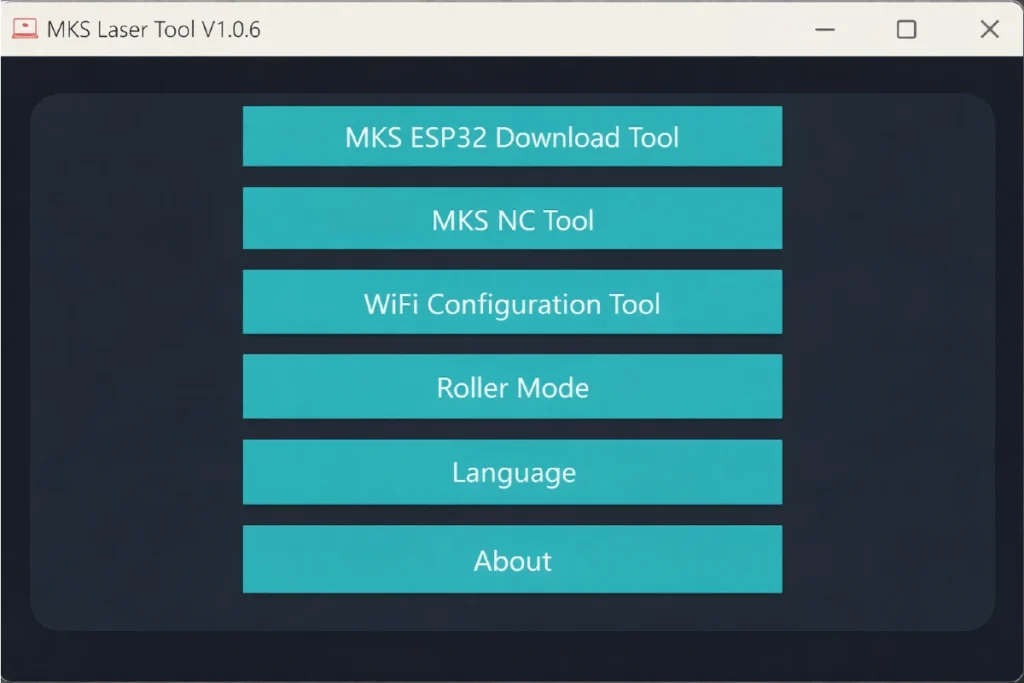
| File Name | MKS Laser Tool |
| Version | V 1.0.6 |
| Size | 12MB |
What is MKS Laser Tool?
MKS Laser Tool is a PC-based software used to configure laser controller boards, upload firmware, and set Wi-Fi settings. This tool is especially helpful for users who use MKS DLC series and ESP32-based laser boards.
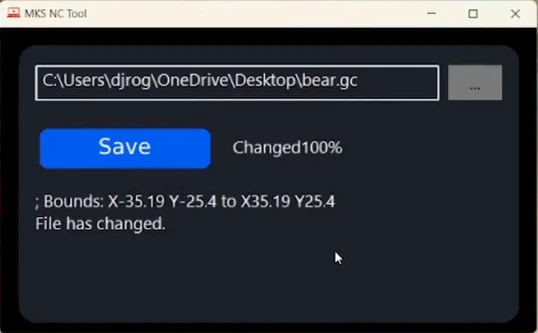
MKS Laser Tool is perfect for beginners.
For those who have recently started using a laser machine or want to start using one, this tool is very easy to understand because it handles the software side. This tool is quite helpful for beginners. It has very low system requirements and does not require advanced technical knowledge to use.
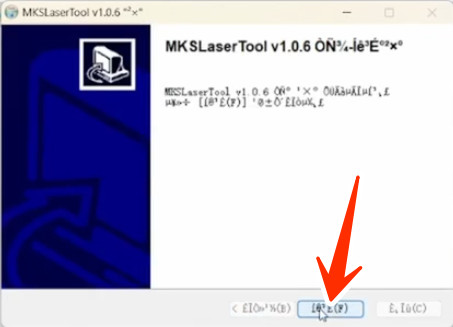
How to Install MKS Laser Tool v1.0.6?
The step-by-step installation process for the MKS Laser Tool setup is described below.
- Step 1: Prepare the Software Files
- Step 2: Don’t Forget to Install the Drivers
- Step 3: Run the Tool
- Step 4: Connect the Laser Controller
- Step 5: Load the Firmware
- Step 6: Verify the Connection
- Step 7: Configure the Basic Settings


Post Comment