UMT MTK Tool Latest Version
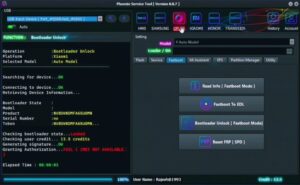
UMT MTK Tool This is a desktop software. And it works with UMT Box. This tool is used to repair, flash, unlock password and bypass FRP of Android phones with chipset. This software is used by mobile technicians. With the help of this tool, many problems of mobile can be solved.

UMT MTK Tool
Version: (All Setup)
Is UMT MTK free?
This question is in the mind of most users. Let me tell you that this software is for UMT Dongle. It will not work until UMT box is installed. For UMT MTK Dongle, you have to purchase it.
If you want to purchase this tool for your personal device, then you may suffer loss. Because such dongles are expensive. It would be better to get your mobile problem solved by a mobile technician.
Features of UMT MTK Tool
Here we will learn about the best features of this tool.
- Flash Firmware: With its help, you can flash the mobile with files like Matk Sector.
- FRP Bypass: After resetting the mobile, Factory Reset Protection lock is applied which this tool can easily remove.
- Dead phone recovery: Sometimes the mobile does not turn on due to bad software in the mobile.
- Read/Write IMEI: When the IMEI in a device gets corrupted, the SIM network does not work in it. This problem can be fixed in minutes.
- Multi-brand support: UMT Tool supports mobiles of most companies of Android devices.
Best practices (for professional technicians)
- Always use original USB cable, this will make the data transfer in your mobile very fast. And there is no risk of flashing stopping in between.
- It is important to take a full backup of the mobile before doing any kind of software work on it.
- If you are updating the mobile, then before that it is very important for you to go to the community and know about the update whether there is any problem in updating it or not.
- Buy UMT Dongle from a trusted seller only, so that there is no problem in the future.
- Write IMEI only in case of illegal documents. If the user has the purchase bill of the mobile device then this should be done.


Post Comment