Samfirm Aio v3.3 Tool
The SamFirm AIO v3.3 Tool is extremely popular. It is used to unlock Android devices, bypass FRP (Factory Reset Protection), perform flashing operations, and resolve a wide range of software-related issues. If you are searching for software capable of resolving problems with your Android device, the SamFirm Tool is an excellent choice.
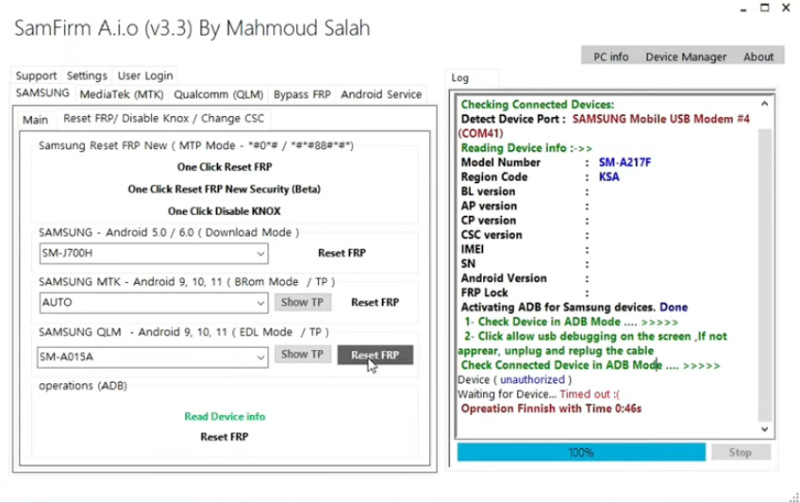
Samfirm Aio Tool
Version: v3.3
Size: 845MB
Compatible: Windows
About the SamFirm AIO v3.3 Tool
Simply put, this tool offers robust support for Samsung devices; however, it also supports numerous other mobile brands. The SamFirm AIO v3.3 Tool was designed specifically with Samsung mobile phones in mind. It is a powerful utility capable of effectively resolving your device-related issues. This software can be installed on both Windows PCs and laptops. As an open-source tool, it can be utilized completely free of charge—without the need for any premium subscription. The SamFirm AIO v3.3 Tool is widely used by professional mobile repair centers.
Feature of the SamFirm AIO Tool
While it is capable of resolving virtually all Android-related issues—particularly those affecting Samsung devices—its most distinctive feature is that it eliminates the need to manually search for firmware files. You simply need to enter your device’s model number and select the appropriate region. The tool will then automatically identify and provide you with the latest available firmware, which you can download and use to perform a standard flashing procedure.
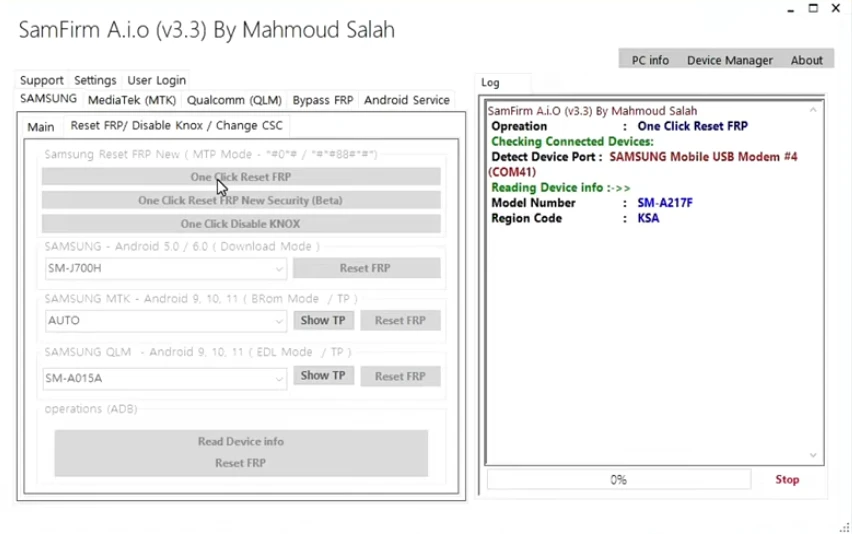
This offers several significant advantages. For instance, updating a device with incorrect firmware can sometimes cause the mobile phone to shut down completely, thereby exacerbating the problem. The SamFirm AIO Tool prevents this by automatically searching for and providing the correct firmware file—one that is perfectly matched to your specific device model and software version.
- One-Click FRP Remove Support
- Samsung Flashing Support
- Built-in Driver Installer
- ADB & Fastboot Tools
- CSC & Region Selection
- Lightweight & Fast Performance
Where is the SamFirm Tool Used?
This tool is utilized to resolve various mobile-related issues, which are outlined below:
- Dead phone repair
- Bootloop fix
- Software upgrade/downgrade
- FRP unlock
- Country change (CSC change)
- Stock firmware restore
Supported Processors
A list of the processors supported by the SamFirm AIO v3.3 Tool is provided below:
- Exynos Processor
- Qualcomm Snapdragon Processor
- MediaTek Processor
- Spreadtrum / Unisoc Processor
System Requirements
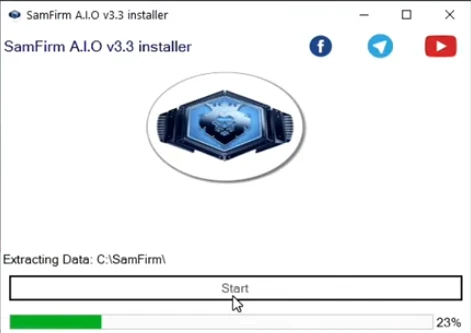
You do not need a high-end PC to run this tool; it operates effectively even with minimum system specifications. The detailed requirements are listed below:
- OS: Windows 7 / 10 / 11
- RAM: 2GB minimum (4GB recommended)
- Storage: 500MB free
- Internet: Required for firmware download
Conclusion
Samsung mobile phones are immensely popular. Thanks to their superior features and quality, they continue to grow in popularity. However, like many other devices, they can occasionally encounter software-related issues. To resolve these problems, numerous tools are available online that you can utilize completely free of charge. The SamFirm AIO Tool has been designed specifically for Samsung devices. Therefore, if you own a Samsung device and encounter any software-related issues, you can use this tool to fix them.




Post Comment