Quick ADB Tool V3.0.0
Quick ADB Tool is a great software. It’s a powerful tool, but it’s relatively unpopular. Quick ADB Tool V3.0.0 is its latest version. All of its features are free, with no premium packages available. You can download it, install it on your computer or laptop, and use it.
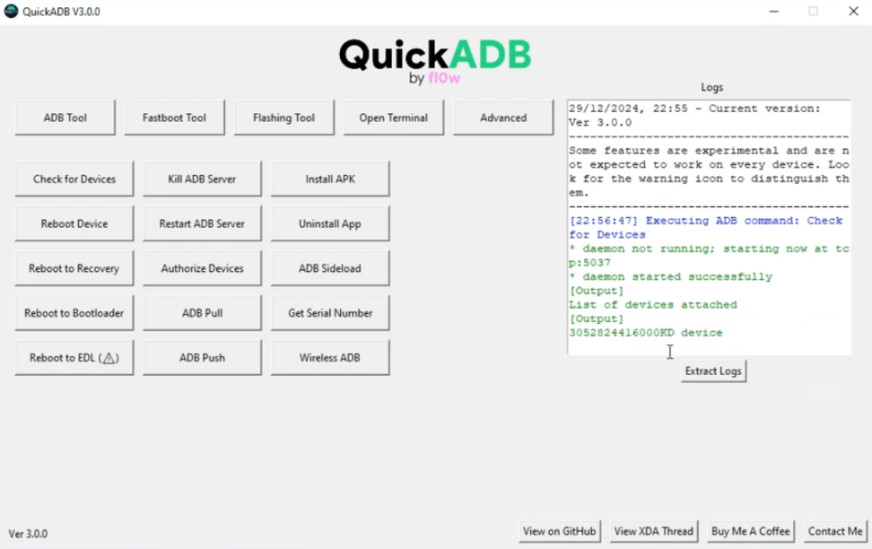
Quick ADB Tool
Size: 102MB
Version: v3.0.0
Compatible: Windows
About Quick ADB Tool
In simple terms, Quick ADB Tool is a Windows software for repairing Android devices. We all know that Android devices are increasingly featuring features, and along with them, software problems are also becoming more common. This tool is used to fix such software problems. This tool is designed to control Android devices using ADB and Fastboot mode.
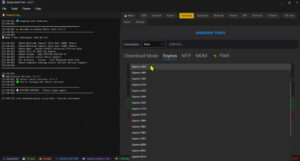
The best feature of Quick ADB Tool v3 is that it can be controlled without commands. It has several buttons for different functions, which you can use instead of commands, as you can see in the image.
Quick ADB Tool V3.0.0 Features
Now let’s talk about its best features, which we’ve outlined step by step below. Compared to standard tools, it offers many more features that can help you fix a variety of problems.
- Normal reboot
- Reboot to recovery
- Reboot to bootloader
- Reboot to fastboot
- Opening Settings
- Launching the browser
- Disabling system apps
- Uninstalling user apps
- Bloatware removal
- Pattern removal
- Screen lock reset
It can fix all these problems and many more.
Quick ADB Tool vs Manual ADB
We’ve compared the Quick ADB Tool and manual ADB tools and provided some results below.
| Factor | Manual ADB | Quick ADB Tool |
|---|---|---|
| Command typing | Required | Not required |
| Beginner friendly | No | Yes |
| Time | slow | Fast |
| Error chances | High | Minimum |
Conclusion
This tool is an updated version of the older ADB fastboot tool. Previously, we used to use commands to operate this tool, and we still do. However, the latest features of the Quick ADB Tool have removed the hassle of using commands. Instead of commands, you can use buttons.


Post Comment