Easy Unlocker Fastboot Reader v1
Easy Unlocker Fastboot Reader v1 is a lightweight yet powerful tool that fixes software problems and repairs most Huawei phones. Easy Unlocker Fastboot Reader is specifically designed for Huawei. This software tool can be installed and used in Windows.
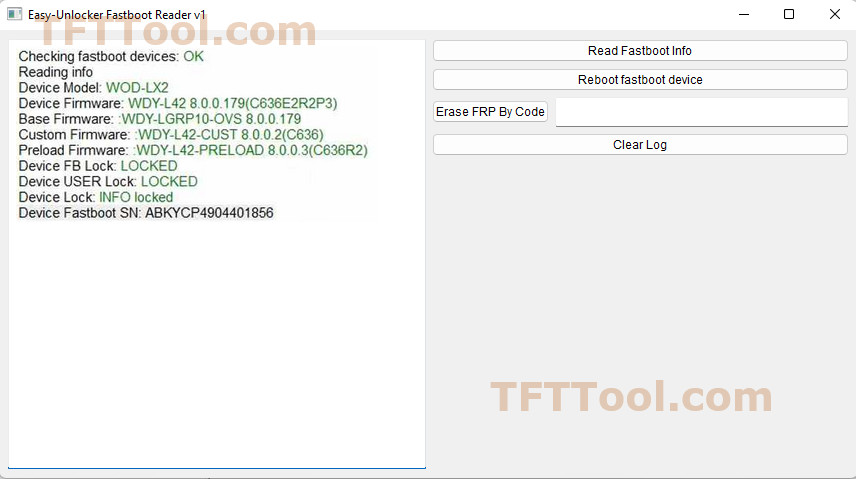
Easy Unlocker Fastboot Reader
Size: 7 MB
Developer: TFTtool
Version: v1
Compatible: Windows
About Easy Unlocker Fastboot Reader
This is not a flashing tool and cannot be used for flashing. It reads technical information about the device from fastboot mode. It also helps in removing FRP and provides fastboot information. It also shows the firmware weight, which is very helpful in repairing mobile phones. Mobile technicians mostly use it for Huawei mobile devices.
Its purpose is detailed below:
- Detecting the device model
- Checking the bootloader status
- Reading the serial number
- Extracting product information
- Verifying the FRP status
Best Features of This Tool
Here, we’ll discuss the best features of the Easy Unlocker Fastboot Reader v1 tool that make it unique.
- Fastboot Device Detection: As soon as you connect your Huawei mobile device in fastboot mode, your computer automatically detects the device through this software.
- FRP Status Verification: All Android devices have factory reset protection, and this tool helps you bypass it.
- Device Information Reading: It reads the device’s internal details. Such as Product Name, Model Number, Build Number, Bootloader Lock Status, FRP Lock Status, Serial Number.
- Lightweight & Fast: Easy Unlocker Fastboot Reader v1 is lightweight and performs very fast.
- Safe Reading: There is no adverse effect on the mobile device while reading details. The mobile device remains 100% secure.
Final Words
Easy Unlocker Fastboot Reader v1 is mostly used for Huawei smartphones. And that’s the purpose of this tool. However, many other manufacturers’ models also support it. If you want to use it for your personal phone, it’s a great tool. It doesn’t have any premium features. The same features that a technician uses can be used for your personal phone as well.


Post Comment