Odin Tool 3.14.4
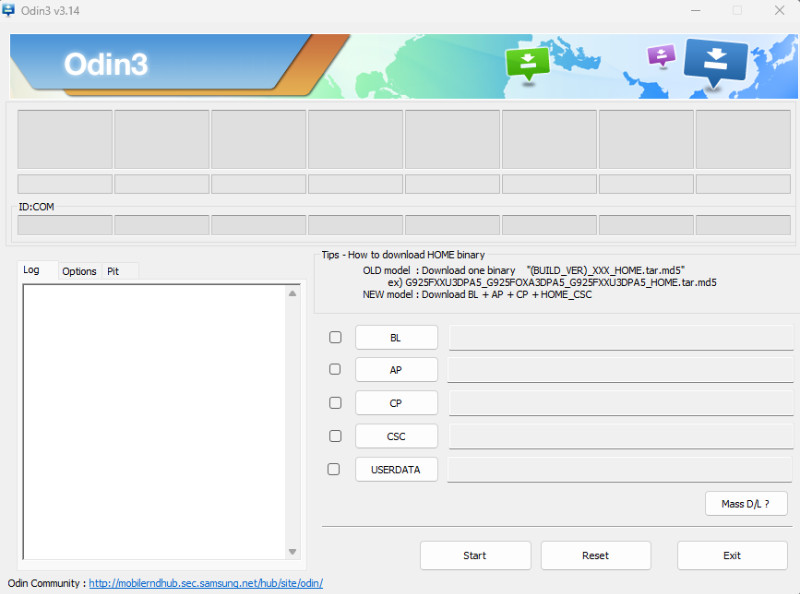
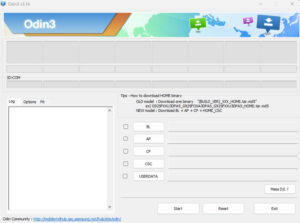
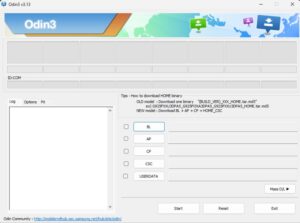
Odin Tool 3.14.4 is its latest version, recently updated, and supports more modern and recent models. Odin Tool is designed for Samsung smartphones and tablets and is used to update the device’s software.
Odin Tool
Size: 5MB
Version: v3.14.4
Developer: Odin
Compatible: Windows
About Odin Tool
Samsung mobile phones are very popular worldwide, and users rely heavily on this company’s mobile phones. When a new update is released for a Samsung device or when a flashing is required for some reason, the tool used is Odin Tool. There are many flashing tools available online, but this is an official tool specifically designed for Samsung devices. Odin Tool v3.14.4 can be used to fix software problems on your phone.
Samsung devices face many different types of software problems, such as bypassing FRP, changing pattern and password, and hanging. We’ve discussed this tool in detail here, along with its download link.
Odin Tool 3.14.4 System Requirements
Here we’ll learn about the minimum requirements for Odin Tool. Since Odin Tool 3.14.4 is the latest, let’s explore the changes since its release.
Minimum requirements:
- Windows 7 / 8 / 10 / 11
- 4GB RAM
- Samsung USB Drivers installed
- Original USB cable
What are Samsung USB Drivers?
The main function of a USB driver is to connect your device to your mobile device. When you connect your Samsung device to a computer via YES, the USB driver notifies the computer that a device has been connected. Without a USB driver, the computer will not be able to detect the device.
And devices come with different USB drivers. Some computers have a USB drive installed, which automatically detects some devices. If your mobile device is not visible in the Odin tool, you may need to install USB drivers.
What to do before flashing the firmware?
It is very important to keep these things in mind before flashing your mobile phone:
- First, your mobile phone battery should be at least 60% charged.
- If possible, back up your mobile phone’s data.
- It’s crucial to download the correct firmware that supports your mobile device.
- Do not turn off your computer or laptop while the flashing process is in progress.
What’s New in Odin 3.14.4
This latest version of Odin Tool 3.14.4 supports the recently launched new Samsung mobile phones. Whenever a new update is released, it means the tool has been made more powerful for the latest devices, allowing problems with the latest mobile phones to be fixed using Odin Tools.
Final Words
I’ve been repairing mobile phones for quite some time. Whenever it comes to flashing Samsung phones, Odin Tool is the best choice because it has a very simple and fast interface. If you also want to flash your personal Samsung device, you can use this latest version of Odin Tool 3.14.4.
Post Comment