UMT Tool Setup (QCFire v13.3 – MTK2 v3.4)
Hello friends! How are you doing? Are you looking to download the latest version of the UMT Tool Setup? If so, you have come to exactly the right place. Here, we have provided complete details regarding this tool including which ICs it supports and the specific mobile issues it can resolve. We will cover all of this right here.
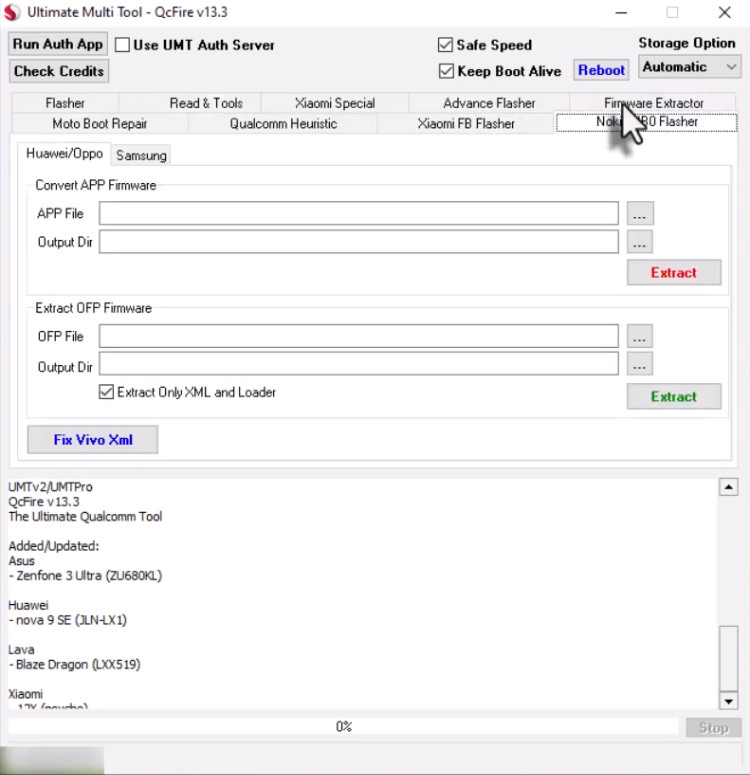
UMT Tool Setup & MTK2 v3.4
Version: v3-v13.3
Size: 262MB
Password: UmtTeam
Compatible: Windows
What is the UMT Tool Setup?
UMT stands for “Ultimate Multi Tool.” It is a software utility that requires a dedicated hardware dongle to operate and is primarily used for mobile phone servicing. It is capable of fixing approximately 90% of all software-related issues found in mobile devices. The tool works most effectively on devices powered by Qualcomm and MediaTek processors. Since software glitches are a common occurrence in Android smartphones, tools like this are utilized to diagnose and resolve them.
For Which Issues is the UMT Tool Used?
Essentially, this tool is capable of resolving virtually all software-related problems encountered in mobile phones. In fact, it can fix software issues for 90% of the mobile devices currently available on the market. A list of the specific problems that it can easily resolve is provided below:
- FRP Bypass
- Flashing
- Unlocking
- IMEI Repair (in supported cases)
- Dead Boot Repair
The list above highlights some of the major issues that are most frequently encountered in mobile devices.
Features of the UMT Software Tool
Here, we will explore the best features of both versions of this tool.
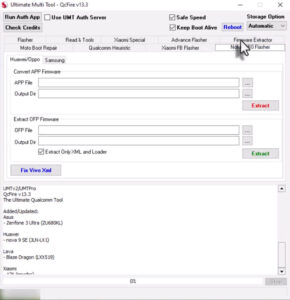
QCFire v13.3
- Qualcomm Flashing (XML, OFP, Firehose files)
- FRP Reset (One-click method)
- Pattern/Password Remove
- EDL Mode Support Read/Write Firmware
- Backup & Restore Options
- Safe Unlock Functions
MTK2 v3.4
- Scatter File Flashing
- FRP Remove (New Security Supported)
- Format & Reset
- Read Firmware
- Dead Boot Repair
- Safe Format Options
Supported Devices & Processors
The most notable feature of the UMT Tool is its support for a wide range of mobile processors. A comprehensive list of these supported processors is provided below.
- Qualcomm Supported Processors: All Snapdragon Series
- MediaTek Supported Processors: All MediaTek Series
- Supported Brands: Samsung (FRP + Flashing), Xiaomi, Vivo, Oppo, Realme, Huawei (Limited Support), Lenovo
Conclusion
This tool’s setup is relevant to you only if you already possess a UMT Tool dongle or are planning to purchase one. This is because, without the dongle, the software is completely non-functional. Furthermore, it is a powerful utility capable of resolving approximately 90% of common mobile device issues.
Post Comment