Fast Unlocker Pro v1.2.3.8
Fast Unlocker Pro v1.2.3.8 is a very important tool for all mobile devices. Software-related problems occur on all mobile devices, regardless of their price. If your mobile phone has problems like FRP, SIM lock, or pattern lock, you can fix them with Fast Unlocker Pro.
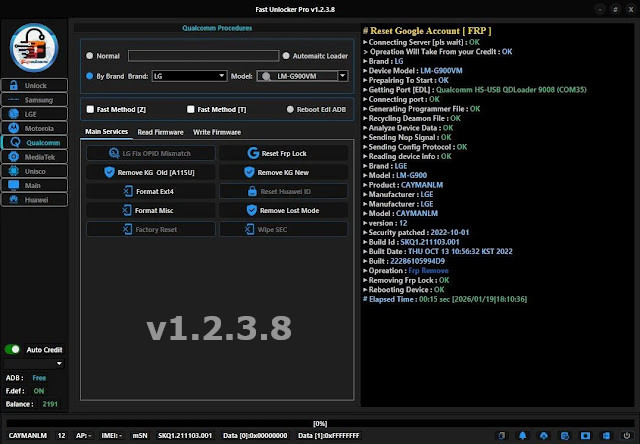
Fast Unlocker Pro
Size: 85MB
Developer: fast-unlocker-pro.com
Version: v1.2.3.8
Compatible: Windows
About Fast Unlocker Pro
As the name suggests, Fast Unlocker Pro is an unlocking tool. For example, if a device has factory reset protection, these tools are used to bypass it. Fast Unlocker Pro v1.2.3.8 supports more mobile models with the latest update. It is capable of fixing many software-related problems on mobile devices.
This tool can be installed on Windows. The link to download Fast Unlocker Pro is available below. Mobile companies have significantly increased security in the latest models, which causes problems for users. It’s common to forget your password or encounter other software issues. However, solving this problem requires a lot of effort. This tool is updated with every mobile update and supports the latest mobile phones. You can use it for your personal phone.
Fast Unlocker Pro v1.2.3.8 Features
Here, we’ll discuss the features of this tool that people like the most. What makes this tool different from other tools? Let’s find out:
- Supported Brands: Samsung, Xiaomi, Oppo, Vivo, Realme, Nokia, and many more companies are supported by it.
- Mode of Operation: Fast Unlocker Pro uses the OTA method. Previously, mobile software updates were done using S-Tools, but now this tool updates via OTA.
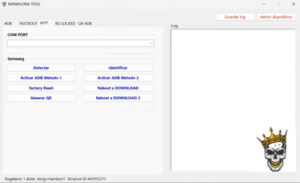
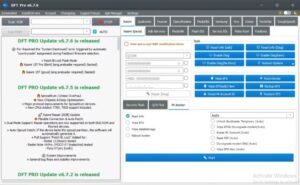
- Interface: The interface of this tool is designed to be very simple. Even a new user can understand it well and fix their device’s problems.
But remember, the latest models come with very advanced security features. Sometimes, even these tools don’t support them. To fix this problem, these tools are updated, after which they can be used.
Is this tool safe?
This question arises in the minds of people who use such tools for the first time. Mobile repair centers use such tools all the time. Mobile technicians use their personal computers for this purpose, so they don’t have to think much. However, a new user often thinks twice before installing such software on their personal computers. But this isn’t true; these tools are designed to help people fix software problems on their mobile phones.
The setup of the Fast Unlocker Pro v1.2.3.8 tool has sometimes been seen as an antivirus software. This is normal. You can use it with your antivirus turned off. And once the problem is fixed, turn it back on. However, it’s important to understand these tools thoroughly before using them.
FAST UNLOCKER PRO – SUPPORTED
The list of companies supported by Fast Unlocker Pro v1.2.3.8 is given below. It easily fixes most MTK iC mobile phones.
- Samsung
- Xiaomi
- Oppo
- Vivo
- Realme
- OnePlus
- Motorola
- Nokia
- LG
- Lava
- Tecno
- Infinix
- Itel
- Micromax
- Google Pixel
- Sony
- HTC
- Honor
- Huawei (limited)
- Panasonic
- Intex
- Karbonn
- Spice
- Alcatel
- BlackBerry
- Coolpad
- ZTE
- Oppo sub-brand: OnePlus already included
- Vivo sub-brand: iQOO
- Xiaomi sub-brand: Poco, Black Shark
- Realme sub-brand: already covered
- Samsung sub-brand: already covered
- Lenovo
- Asus
- Gionee
Final Word
I know you’re looking for tools that will fix your mobile phone’s problems. I’ve gathered a lot of information about these tools and shared it here. I’ve seen many positive aspects of it. You can use Fast Unlocker Pro for free, but its premium features offer many more advanced features. If you’d like, you can learn more about it in detail by visiting its official website.

Post Comment